

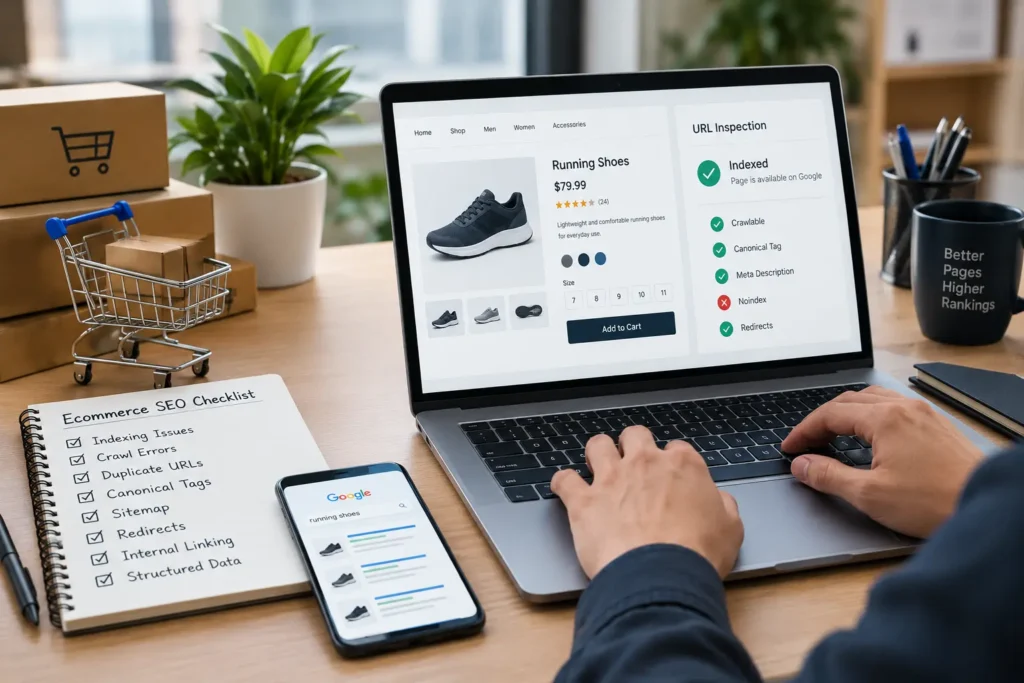
Product pages can struggle to rank even when a website has useful products, competitive prices, and well-written descriptions. The problem may lie in technical issues that prevent search engines from discovering, crawling, indexing, or understanding those pages correctly.
For ecommerce businesses in the UAE, resolving these problems is especially important when a store has hundreds or thousands of product URLs, multiple product variations, filters, and category pages. A single technical issue can affect many URLs simultaneously.
Understanding common ecommerce SEO issues helps you identify why product pages are missing from Google, why duplicate URLs appear in search results, and which fixes deserve priority. This guide explains how to diagnose these problems and improve the technical SEO of your online store.
1. Identify Why Product Pages Are Not Indexed
One of the first problems to investigate is whether Google has indexed your product pages. A page that is not indexed generally cannot appear as a standard organic search result, regardless of how well its content is optimized.
Start with Google Search Console. Open the URL Inspection tool and enter a product URL that is not receiving organic traffic. Review its indexing status, last crawl date, and any reported issues. If the page is not indexed, inspect the reason before making changes.
Common causes include a noindex directive, a blocked crawl path, a missing or incorrect canonical tag, a redirect, or insufficiently useful content. New product pages may also take time to be discovered and processed.
Check whether important product URLs are included in your XML sitemap. The sitemap should contain the preferred, indexable URLs you want search engines to discover, rather than redirected pages, duplicate variations, or URLs marked noindex.
For example, if an online electronics store in the UAE launches a new smartphone, its product page should have a working URL, a crawlable page, appropriate indexing directives, and links from relevant categories. Submitting a sitemap helps discovery, but it does not guarantee indexing.
2. Fix Ecommerce Crawl Errors
Crawling allows search engines to access page content and follow links. Ecommerce crawl errors can prevent Google from accessing valuable products or waste resources on unnecessary URLs.
Use Google Search Console’s Page indexing report to identify affected pages. You can also review server logs, where available, to understand which URLs search engine crawlers request and how your server responds.
Look for recurring errors such as 404 pages, server errors, redirect loops, and URLs blocked by robots.txt. Investigate whether these problems affect individual products or entire sections of the store.
A discontinued product that returns a genuine 404 may be appropriate when no replacement exists. However, if the product has a direct successor, a relevant permanent redirect may offer a better experience. Avoid redirecting every removed product to the homepage because that rarely provides a meaningful replacement for visitors.
For UAE ecommerce websites, also check whether the hosting environment, CDN, firewall, or security settings are unintentionally blocking Googlebot. A site may load normally in your browser while returning errors to crawlers under certain conditions.
After fixing a problem, test the affected URL again and monitor the relevant reports. Prioritize errors affecting important product categories and revenue-generating products instead of treating every reported URL as equally important.
3. Resolve Duplicate Product URLs
Duplicate product URLs are common on ecommerce websites because the same product may be accessible through several paths. For example, a running shoe might appear under both men’s footwear and sports shoes, creating different URLs for the same product.
Sorting, tracking parameters, filters, and product variations can create additional URL versions. When these pages contain substantially similar content, search engines may have difficulty determining which version should represent the product in search results.
First, identify how duplicate URLs are generated. Review internal links, category navigation, filter settings, and the URLs appearing in Search Console. Then decide whether each URL needs to remain accessible, be redirected, or be consolidated using a canonical tag.
Where several URLs represent the same product, link internally to the preferred URL whenever possible. Consistent internal linking helps search engines understand which version the website considers important.
Not every variation is necessarily a duplicate. Different products, sizes, colours, or configurations may deserve separate indexable pages when they offer distinct search value and useful content. The decision should reflect the products, customer experience, and actual search intent rather than a blanket rule.
4. Correct Ecommerce Canonical Tags
Canonical tags help search engines identify the preferred version of pages with duplicate or substantially similar content. They are particularly useful when an ecommerce platform generates several URLs for the same product.
A canonical tag is typically placed in the HTML head and points to the preferred URL. For example, a product URL containing a tracking parameter may specify the clean product URL as its canonical version.
Check that canonical tags use the correct absolute URL, point to accessible pages, and are consistent with internal links and XML sitemaps. A common mistake is pointing every product page to a category page or the homepage, which can cause the individual product pages to be treated as duplicates of an unrelated destination.
Another issue occurs when canonical tags point to redirected URLs, blocked pages, or URLs with conflicting indexing directives. These signals can make it harder for search engines to interpret the intended preferred page.
Canonical tags are signals, not absolute commands. Google may select a different canonical URL when other signals suggest that another version is more appropriate. Therefore, use canonical tags alongside consistent internal links, sensible redirects, and clean sitemap entries.
5. Improve Product Page Content and Internal Linking
Technical accessibility alone does not make a product page valuable enough to rank. Search engines also need to understand what the product offers and how the page satisfies a searcher’s needs.
Avoid relying entirely on manufacturer descriptions that appear across many retailers. Write original product descriptions that explain important features, practical benefits, specifications, compatibility, materials, dimensions, and relevant purchasing considerations.
For UAE customers, include genuinely useful information such as delivery coverage, available sizes, warranty conditions, and return policies where applicable. Do not add local references simply to insert UAE-related keywords; include them when they help customers make an informed decision.
Product pages should also receive meaningful internal links. Link to them from relevant categories, related products, buying guides, and other useful sections of the site. Important products should not be accessible only through internal search or complicated filter combinations.
Use descriptive anchor text naturally, and maintain a logical structure from homepage to category, subcategory, and product. This helps users navigate the store while making product relationships easier for search engines to understand.
6. Check Product Variations, Filters, and Structured Data
Product variations and faceted navigation can generate large numbers of URLs. Filters for colour, brand, size, price, and availability may help shoppers, but allowing every combination to create a crawlable URL can produce unnecessary duplication.
Decide which filtered pages provide genuine search value. Useful, carefully selected landing pages may deserve indexing, while endless combinations of filters generally should not automatically become separate search targets. Configure navigation and URL handling according to the store’s needs, and avoid blocking URLs indiscriminately when search engines need to access important pages.
Also validate product structured data. Product and offer markup can help Google understand details such as product names, prices, availability, and eligible review information. Ensure that the markup accurately reflects visible page content and current product information.
For stores serving the UAE, check that displayed prices and currency information are consistent with the actual offer. Structured data does not guarantee rich results or higher rankings, but accurate implementation can support search result presentation where eligible.
7. Monitor Results After Fixing Ecommerce SEO Issues
Once you implement fixes, monitor whether the changes improve crawling, indexing, and organic visibility. Reinspect important URLs in Google Search Console and use the URL Inspection tool to request recrawling when appropriate. Repeated requests do not guarantee faster indexing.
Track indexed product pages, organic impressions, clicks, relevant search queries, and landing-page performance. Compare results over time and account for seasonality, stock availability, product changes, and other factors that may affect traffic.
A practical troubleshooting checklist includes:
- Confirm that priority product pages return the correct HTTP status.
- Check robots.txt, meta robots directives, and canonical tags.
- Resolve important crawl errors and redirect chains.
- Remove unwanted duplicate URLs from internal links and sitemaps.
- Improve thin or copied product descriptions.
- Validate structured data and monitor search performance.
Fix high-impact technical problems first, then improve content and internal linking. This approach makes it easier to identify which changes are helping and where further investigation is needed.
Conclusion
Ecommerce SEO issues can prevent product pages from appearing in search results even when the products themselves are relevant to customers. Indexing problems, crawl errors, duplicate product URLs, incorrect canonical tags, and weak product content are among the most important areas to investigate.
Start with Google Search Console, identify the underlying cause, and fix the affected URLs systematically. Combine technical improvements with useful product information, consistent internal linking, and accurate structured data.
For UAE ecommerce stores, a well-maintained technical foundation helps search engines discover important products and gives shoppers a clearer path to the products they want. Regular monitoring ensures that new products, platform updates, and changing URL structures do not introduce the same problems again.